Laddar produkt...
Kort om produkten Läs mer om produkten

Inga butiksomdömen tillgängliga
Grafen visar lägsta pris över tid hos alla butiker. Frakt ingår ej.
Lägst pris 3 månader
1 169 kr
Lägst pris nu
1 169 kr
Vänta på ett bättre pris?
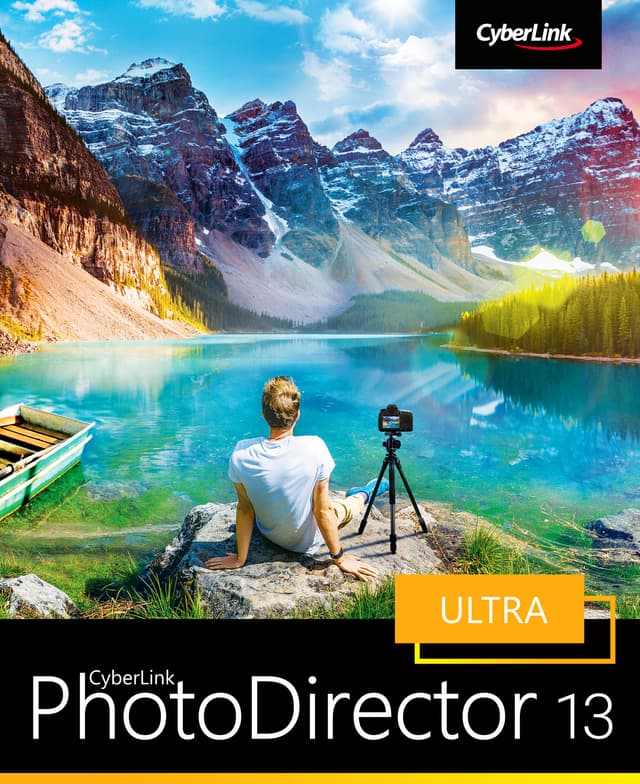
Reimagine Your Photos Create breathtaking compositions and artistic masterpieces with powerful AI tools, eye-catching visual effects, advanced color controls, and intuitive layer editing. AI-Powered Sky Replacement Transform the sky in your images with AI. Position, blend, and animate. The sky is the limit. Light Rays, Bokeh, and Light Hits Create dreamy images with Bokeh, add natural glows, sparkles and intense bursts of light. Edit everything from size, color, and direction to truly shape your scene with wonderfully rich light. Glitch Art Discover hidden beauty in your images by splitting and combining color layers with the glitch effect. Photo Animation Bring your photos to life by adding natural movement to your images. Object Segmentation Accurately mask the outline of people in your images. Create flawless cutouts of objects or remove them completely. Dispersion Tool Add a disintegration effect to your images and make them an animated gif. Layer Editing History Edit complex multi-layered images without the fear of mistakes. Easily go back to your previous edits. Powerful Layer Editing Create unique compositions by combining images, text, or graphics.Creative Blending Modes Bevel & Emboss Text Effects Group & Filter Layers One-click Layer Alignment Adjustment Layers Customizable Warped Text Layers Snap Alignment in Layers One-click Layer Distribution AI-Powered Deblur Fix blurry images with smart precision tools. Photo Management with AI Facial Recognition Tag a face in one photo, and it will be automatically detected & tagged in all existing and future shots. AI Styles Our AI engine intelligently applies brushstrokes that make pictures look like they were designed and painted by an experienced artist. Take Photos from Video Multi-Exposures Shots Extract photos from a video clip and turn them into a multi-exposure image. Vibrant Motion Still™ Select sections of a video clip to retain movement in that area only. Video-to-Photo Face Swap Make everyone picture perfect by selecting the best look from each person in a video to create a photo. Advanced Color Replacement Completely change the color of specific objects in a picture for a whole new look. Content-Aware Remove, Move, & Clone Remove, duplicate, or move objects within photos simply by brushing over them. Frame, LUT, & Clip Art Packs Give your images the perfect finishing touch with professionally designed frames & stickers in a range of styles. Express Layer Templates Instantly create complex multi-layer images to achieve distinctive styles. Sharper Images & Better Clarity Dehaze Strip away haze, fog, and smog to reveal crisp, clear landscapes. Defringe An easy, one-step tool to get rid of distracting color fringes for a sharper look. © 2022 CyberLink Corp. All Rights Reserved. Operating System: Microsoft Windows 11, 10, 8/8.1, 7 (64 bit OS required) Processor (CPU): Intel Core™ i-series or AMD Phenom® II and above Graphics Processor (GPU): 128 MB VGA VRAM or higher Memory: 4GB required (For AI style transfer, 8GB or above recommended) Hard Disk Space: 2GB Internet Connection: Internet connection also required for initial software & file formats activation. Screen Resolution: 1024 x 768, 16-bit color or above Photo (Import): JPG, TIFF, RAW, PNG, PHI, BMP, HEIF, GIF PhotoDirector also supports the import of most camera RAW formats. Photo (Export): JPG, TIFF, PNG, GIF, PHI (Ultra only) Video (Import): AVI, MOD, DAT, TOD, VOB, TPD, VRO, TRP, FLV, M4V, MP4, M2V, MPG, MOV, MPEG, 3GP, MPE, 3G2, M2T, 3GPP, M2TS, MKV, MTS, WMV, TS, ASF Video (Export): MPEG4, WMV
Våra AI-modeller analyserar produkten. Kom tillbaka senare!